


The playojo mobile version is the PlayOJO mobile site, which runs in the browser on your phone. PlayOJO also has an iPhone app and an Android app, so you can choose whichever suits you. The mobile site needs no download, which makes it the simplest option if you are unsure.
Both apps are available, so the choice comes down to preference. The mobile site works in the browser you already have, so there is nothing to install and nothing to update. An app suits you better if you want a dedicated icon and do not mind installing software on your phone.
Below, you can read what the phone version covers, how the apps fit in, and what to set up on your device.
Whichever route you take, keep your phone locked with a passcode, avoid sharing the device while you are logged in, and check your account details before you pay money in. These habits matter more on a phone than on a desktop, because the device goes everywhere with you.
What you can do on PlayOJO from your phone

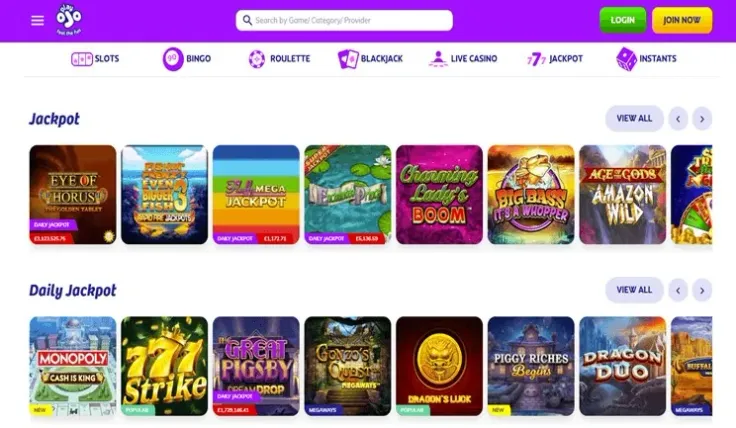
You can log in to an existing account on your phone, or start a new one from the sign-up page. PlayOJO lists live casino among its games, so live dealer tables are part of the range on the phone as well. For how slot games work in general, the slots page is a useful starting point.
The main practical difference from a computer is the screen. Tables, paytables and game information take more scrolling and tapping on a small display, so it helps to turn the phone sideways for games that suit a wide view. Zoom only as far as you need, because a large zoom makes it harder to keep track of the layout.
Live dealer games are streamed video, so they depend on the quality of your connection. A steady Wi-Fi or strong mobile signal makes a round easier to follow, and a weak signal can freeze the picture between decisions. If the stream stops, wait for it to reconnect and check the stake on screen before you continue.
Before you bet on any game, read its rules and check what the paytable shows. The paytable explains which symbol combinations pay and how much, in the game's own terms. Look for the maximum win and any features described for that game, so you know what it can pay before the first spin. Results are random on any device, and the screen size does not change how a game pays.
A phone is always with you, so notifications and idle moments can pull you back to the account. Decide before you start how long you want to play, and set any deposit limits before your first session rather than during one. If you switch between the phone and a computer, the rules of each game stay the same, so the same checks apply on both.
Apps for iPhone and Android
PlayOJO has an iPhone app. You find it and install it through the App Store, in the same way as any other app: search for PlayOJO, check that the listing is the one you expect, then install it. Once it is on your phone, open it from the home screen and log in as usual.
PlayOJO also has an Android app. Follow the route given on the Android app page, and use only the source that page names. Installing from a source you have not checked first is the easiest way to end up with a fake app.
Never install a casino app from a link in a message, an advert or a file shared by a stranger. Files from unknown sources can carry malware, and a fake app can ask for your login details or payment information. Do not rely on an advert in a search result either; open the store from your phone's home screen first. If you are not sure an app is genuine, use the mobile site, which needs no installation.
For more on each platform, see the iPhone app page and the general app overview.
Storage and updates take room on your phone. Check that you have enough space before you install, and keep an eye on updates so the app keeps working as expected.
Choosing between the two routes is a matter of preference. An app gives you a dedicated icon on your home screen, while the mobile site needs no installation and no updates from you. If an app does not install or open, the mobile site stays available in your browser, so you can still reach PlayOJO while you resolve the problem.
Keeping your account secure on a phone

A casino account on a phone is only as protected as the phone itself. A few habits cover most of the risk:
- Set a screen lock with a passcode or biometric unlock, and keep it on.
- Do not share the device with anyone while you are logged in, and log out when you finish.
- Use a password for PlayOJO that you do not use anywhere else.
- Avoid public Wi-Fi when you log in or move money. Your own mobile data connection is the safer choice.
- Keep your operating system and browser up to date.
Streaming live dealer games uses more mobile data than browsing a menu, so check your data plan if you play away from home Wi-Fi. A weak signal can also interrupt a live round.
Limits matter more on a device that is always in your pocket. Your account has control tools such as deposit limits and breaks, and our safer gambling page explains how to use them. Set them before you play rather than after a long session. If your phone is lost or stolen, contact PlayOJO support through the help page and change your password as soon as you can.
For deposits and cash-outs from your phone, see the guides on deposits and withdrawals.