
PlayOJO FAQ

Last updated · Verified

This page collects the questions players ask most often about PlayOJO and sends you to the page that covers each topic in full. The cards above lead to the guides on deposits, withdrawals, verification and safety. The questions at the bottom give short answers on the rest.

Clear Digest is an independent guide, not PlayOJO. We cannot see your account, reset a password, release a payout or change a balance. For anything that depends on your own account, contact PlayOJO's support, and the last section here lists the channels.

Use this page to find the right guide quickly. Each topic below gives the main answer and one link. The linked pages go further, with steps, limits and things to check before you act.

In this section

  • Is PlayOJO legit?

    50 Free Spins on Big Bass Bonanza

    Wagering
    No wagering
    Min deposit
    C$10
    Valid for
    Not stated

    19+ · T&Cs apply

  • Is PlayOJO safe?

    50 Free Spins on Big Bass Bonanza

    Wagering
    No wagering
    Min deposit
    C$10
    Valid for
    Not stated

    19+ · T&Cs apply

  • Deposits

    How to make a PlayOJO deposit in Canada: what to prepare, how the cashier works, what to do if a payment fails and how to keep your account secure.

  • Withdrawals

    PlayOJO withdrawal explained: what to have ready, which checks apply, what to do if a payout is delayed, and how to reach support at any hour.

  • Verification

    Verify your PlayOJO account in Canada: which documents to have ready, what the checks involve, what to do if an upload fails and how to reach support.

The topics players ask about most
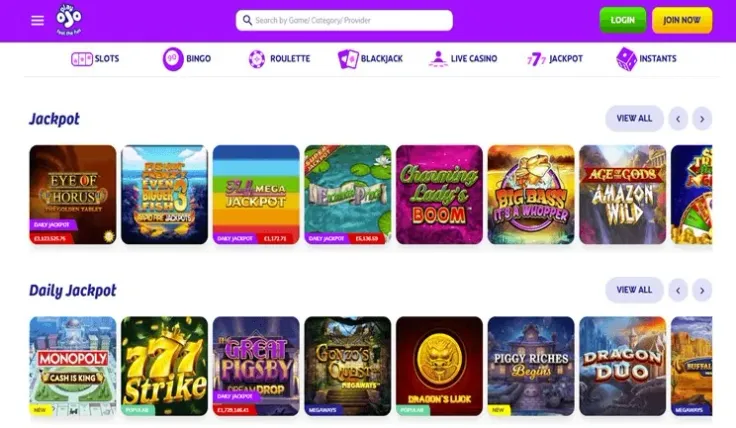
PlayOJO casino lobby

Payments. The payment methods are Visa, Mastercard, Interac, MuchBetter, Apple Pay, PayPal, Paysafecard, Neteller and Trustly. The minimum deposit is C$10. Before you pay, check the cashier for which methods are open to you and whether a method works for the direction you need. The deposits page has the steps.

Withdrawals. Processing time is stated as: Aims to process within 11 hours. Your payment provider's own timing comes on top of that, so the money may reach you later than PlayOJO releases it. Use the same method for cashing out where you can, and see the withdrawals guide for how to request a payout.

Identity checks. PlayOJO requires account verification. Have a clear photo of your identity document ready, along with anything else the request asks for, so you can reply without delay. The verification page explains what to send. You must also be of legal gambling age, which is 19 in most provinces.

Licence and safety. Questions about who runs PlayOJO, how it is registered and how your data and money are handled have their own pages. Start with is PlayOJO legit for the company and registration details. The safety page covers account protection and payments. PlayOJO is operated by SkillOnNet Ltd.

Bonuses. The welcome offer is 50 Free Spins on Big Bass Bonanza. Wagering: No wagering. Minimum deposit: C$10. The spins apply to Big Bass Bonanza. T&Cs apply. Read the welcome bonus page before you claim, and see the bonuses hub for the other offers.

Apps and devices. PlayOJO has an iPhone app and an Android app, and the mobile site works in a browser. On a computer, Playing on a computer requires the Xpoint Verify app for location verification. Details are on the app page, with separate guides for iPhone and Android.

Games. PlayOJO has slots and a live casino, with games from providers including Pragmatic Play, NetEnt, Playtech, Play'n GO, Evolution, Games Global, Blueprint Gaming, Hacksaw Gaming, Light & Wonder, Red Tiger, Relax Gaming, Big Time Gaming, Push Gaming, Yggdrasil, ELK Studios, Nolimit City and Authentic Gaming. Browse the games hub for the full range, or go straight to slots or the live casino.

How to contact PlayOJO support
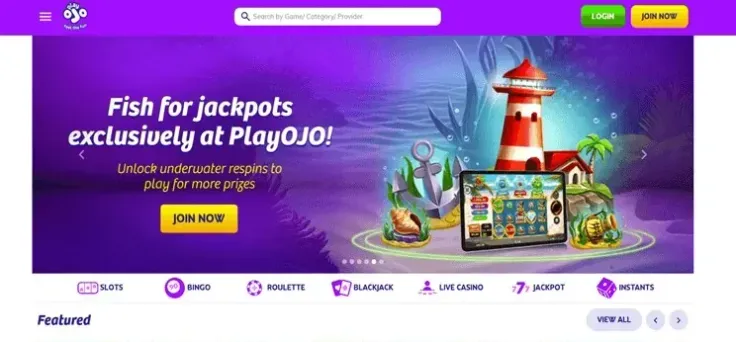
PlayOJO casino lobby

PlayOJO support is available through live chat and by email. Hours: 24/7. The contact page lists the channels, and you can also visit PlayOJO to reach them from your account.

Live chat suits quick questions, such as where a payment method is listed or what a request needs. Email suits cases where you want a written record, such as a payout query or a verification problem.

Before you write, gather what the support team will ask for:

  • The email address on your account.
  • The date, amount and payment method of the transaction in question.
  • A screenshot of any error message.
  • A short description of what happened and what you expected.
  • Your verification documents, if the question concerns an identity check.

If gambling stops being entertainment for you, the helplines listed at the bottom of the page offer free, confidential help, and the safer gambling page explains the tools available on your account.

FAQ

What is the minimum deposit at PlayOJO?

The minimum deposit is C$10. The same amount is the minimum for the welcome offer, 50 Free Spins on Big Bass Bonanza, and T&Cs apply. Payment methods are Visa, Mastercard, Interac, MuchBetter, Apple Pay, PayPal, Paysafecard, Neteller and Trustly. Steps and method details are on the deposits page.

Which payment methods does PlayOJO accept?

The payment methods are Visa, Mastercard, Interac, MuchBetter, Apple Pay, PayPal, Paysafecard, Neteller and Trustly. Open the cashier to see which of them are available for your account and for the direction you need. The deposit guide walks through the steps, and the withdrawals page covers cashing out.

How long do PlayOJO withdrawals take?

Processing time is described as follows: Aims to process within 11 hours. That figure covers PlayOJO's own processing, and your payment provider's timing is separate. The withdrawals page explains how to request a payout and what to check before you do.

Does PlayOJO ask for identity verification?

Yes, PlayOJO requires account verification. Have your documents ready so you can answer a request quickly. The verification page lists what to prepare and how to submit it, and the withdrawals page covers payouts.

Is PlayOJO legit?

PlayOJO is run by SkillOnNet Ltd. Licence and registration details, and what they mean for you, are set out on the is PlayOJO legit page. For account protection and payment safety, see the safety page.

Does PlayOJO have an app?

Yes. PlayOJO has an iPhone app and an Android app, and the mobile site also works in your browser. See the iPhone app and Android app pages, or the mobile version page for browser play.

What does the PlayOJO welcome offer include?

The offer is 50 Free Spins on Big Bass Bonanza. Wagering: No wagering. Minimum deposit: C$10. The spins apply to Big Bass Bonanza. T&Cs apply. Full details are on the welcome bonus page.

Does PlayOJO have live dealer games?

Yes, PlayOJO has a live casino. Providers across the lobby include Pragmatic Play, NetEnt, Playtech, Play'n GO, Evolution, Games Global, Blueprint Gaming, Hacksaw Gaming, Light & Wonder, Red Tiger, Relax Gaming, Big Time Gaming, Push Gaming, Yggdrasil, ELK Studios, Nolimit City and Authentic Gaming. Check the table limits before you join a game. The live casino page explains what is on offer, and the games hub covers the rest of the range.

How do I log in to my PlayOJO account?

Use the email and password you chose at registration. If you cannot get in, contact support through live chat or email. Our login guide lists the steps. If you have no account yet, the sign-up page shows how to register.

Do I need extra software to play on a computer?

Playing on a computer requires the Xpoint Verify app for location verification. If you play on a phone, the apps and the mobile site are covered on the app page. Check that the verification software works on your computer before you plan to play.

How do I contact PlayOJO support?

Support is available through live chat and email, with hours of 24/7. Keep your account email and a short description of the issue ready. The contact page lists the channels and what to include in your message.

Does PlayOJO have a VIP programme or promo codes?

Both topics have their own pages. The VIP programme page covers loyalty features, and the promo codes page covers codes. Any offer comes with its own conditions, and T&Cs apply, so read them before you opt in.

See offer